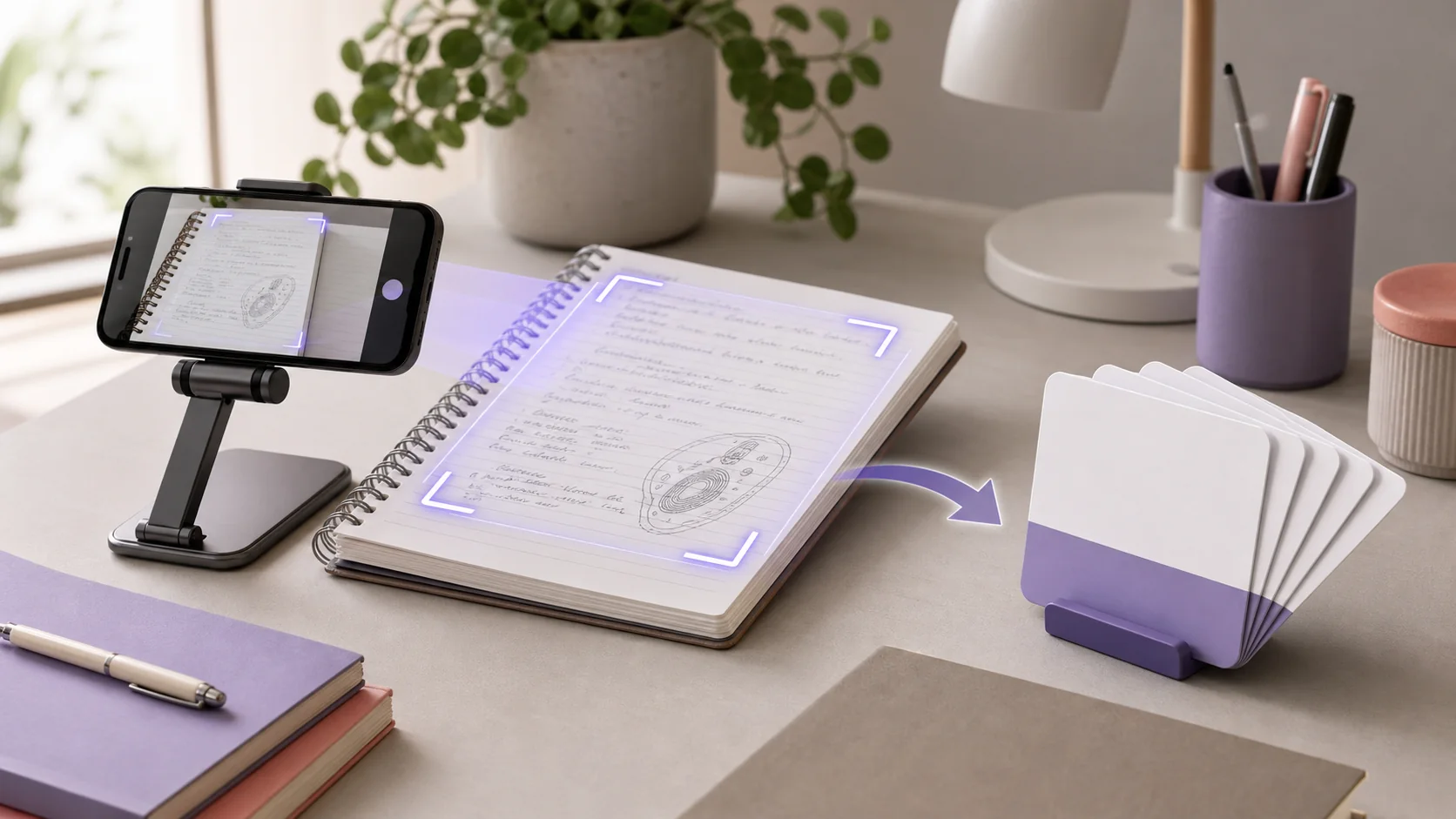
To make flashcards from handwritten notes, photograph one clear page or section at a time, convert the image into an editable note, and check the extracted text against the original handwriting. Then create a small batch of question-and-answer cards, keeping only cards that test a useful fact, relationship, step, or distinction. Correct names, symbols, numbers, and diagrams before you study.
The photo-to-flashcard step can save retyping, but it should not remove your accuracy check. A misread word in the note can become a polished but incorrect card.
Quick answer: Capture a flat, well-lit image, preserve the original photo, verify the converted note line by line, select the material worth retrieving, generate a small deck, and answer each card before revealing the back.
How does a photo become a flashcard deck?
The workflow has four separate stages:
- Capture: A camera records the handwritten page as an image.
- Convert: An image-reading system turns visible writing into editable text or a structured note.
- Create: A flashcard generator uses the checked material to draft questions and answers.
- Study: You retrieve each answer from memory, check it, and return to difficult cards later.
Optical character recognition, usually called OCR, is one way to extract text from an image. Official documentation from Google Cloud Vision and Microsoft Azure Vision describes reading printed and handwritten text from images. Whatever system your study tool uses, treat the result as a transcription to inspect, not a replacement for the page.
That distinction matters. The camera preserves the source. The editable note makes it easier to organize. The cards create retrieval prompts. Each has a different job.
Before you scan: decide what belongs on flashcards
Do not begin with an entire notebook. Choose the next topic you actually need to learn, such as:
- the stages of cellular respiration
- the causes and effects of one historical event
- vocabulary from one language lesson
- formulas and their conditions from one problem set
- the differences between two theories
Flashcards work best when an answer can be retrieved and checked clearly. They are useful for terms, short relationships, ordered stages, contrasts, formula conditions, and course-required facts.
Use another format when the task requires a long argument, a multi-step calculation, or a complex visual. A worked problem is better for practicing a calculation. A mind map may be better for a large hierarchy. A blank diagram may be better for anatomy labels.
This selection step keeps the deck smaller than the notebook and tied to a real learning goal.
How to make flashcards from handwritten notes step by step
1. Choose one complete section
Start with one page, heading, or related group of pages. Include enough context to understand abbreviations and arrows, but avoid mixing unrelated topics in the same import.
Write down the source before capture:
- course and unit
- lecture or reading date
- page number, if you use one
- topic or learning objective
Keep the original notebook available. If a generated answer becomes confusing later, you need a quick route back to the page rather than a guess about what you meant.
2. Take a clear, square photo
Place the notebook on a flat surface and smooth the page as much as possible. Use even light, keep shadows away from the writing, and hold the camera parallel to the page. Fill the frame without cutting off headings, margins, or the ends of lines.
Retake the image when:
- the writing is out of focus
- glare covers pencil or highlighter
- the page curves toward the binding
- a hand or object hides part of a sentence
- two pages overlap
- small subscripts or symbols cannot be read when you zoom in
For multiple pages, keep the order obvious and capture one page at a time. Apple's document-scanning guidance likewise emphasizes positioning the whole page in the camera frame, holding the device steady, and adjusting the captured corners.
3. Check the converted note against the image
Read the editable result with the original photo beside it. Do not rely on a quick skim, especially when the prose looks fluent.
Check these details first:
- technical terms and proper nouns
- dates, quantities, and decimal points
- positive and negative signs
- subscripts, superscripts, and units
- words such as
not,except,increase, anddecrease - arrows that show sequence or causation
- abbreviations that make sense only in your course
Correct the note before generating any cards. If one line is unreadable, return to the notebook or another approved course source. Do not ask the generator to fill in the missing phrase.
4. Turn shorthand into a usable study note
Handwritten notes often depend on their position on the page. A circled term may be a heading. An arrow may mean causes, leads to, or simply see next point. Indentation may show that three examples belong to one rule.
Preserve that meaning in the editable note:
- expand only the abbreviations you understand
- add descriptive headings
- turn arrow chains into explicit relationships
- place examples under the idea they support
- record conditions and exceptions beside the rule
- mark unresolved questions instead of smoothing them over
Do not rewrite everything into formal prose. The aim is a checked bridge between the page and the deck.
5. Generate a small first batch
Create cards from one subsection before processing the rest of the notebook. A small batch is easier to audit and reveals which instructions produce useful questions.
A practical generation request might say:
Use only this checked note. Create cards for the main definitions, relationships, stages, and exceptions. Test one clear idea per card. Name the topic in every question. Do not invent missing context.
Treat the output as a draft. A card can be grammatically polished and still be vague, trivial, or wrong.
6. Run a source, clarity, and value check
Review every card with three questions.
Can I trace the answer to the page?
Point to the exact line, diagram, or corrected note that supports it. If you cannot, delete the card or verify the claim elsewhere.
Will the question make sense after shuffling?
Replace prompts such as What happens next? with a question that names the process. Split cards that ask for several unrelated facts.
Is this worth retrieving?
Keep cards that support the learning objective. Remove duplicated headings, page furniture, obvious filler, and details your course does not require.
7. Study by retrieving, not rereading
Look at the question, hide the answer, and make a genuine attempt. Then compare your response with the verified back of the card.
Cornell's effective study strategies guide describes retrieval practice as actively bringing information to mind and using the attempt to reveal what you do and do not understand. Flashcards support that process only when the answer remains hidden during the attempt.
For a complete review routine, continue with our guide to active recall with flashcards and quizzes.
Worked examples of fixing generated cards
Biology notes with arrows
Handwritten source:
low blood glucose -> glucagon -> liver releases glucose
Weak card:
What happens when glucose is low?
Better cards:
Which hormone is released in response to low blood glucose?How does glucagon affect glucose release by the liver?
The revision turns one compressed arrow chain into two explicit relationships. Check the wording against your assigned source before keeping either card.
History notes with shorthand
Handwritten source:
econ. pressure + food prices -> unrest; not sole cause
Weak card:
What caused the unrest?
Better card:
How did economic pressure contribute to the unrest, and what limitation did the notes place on that explanation?
The better version preserves the qualification. Dropping not sole cause would change the meaning of the note.
Formula notes
Handwritten source:
v = d/t, constant average speed, consistent units
Do not create only What is the formula for speed? Add cards that test when and how to use it:
Which quantities must be known to calculate average speed?What unit check should you perform before calculating average speed?What assumption in these notes limits the simple example?
Then solve a fresh problem. Remembering the formula is not the same as using it correctly.
What about diagrams, tables, and messy handwriting?
Text extraction can lose information that depends on layout. Keep the image attached when the visual is part of the answer.
For a labeled diagram, consider a card that shows the diagram with one label hidden. For a comparison table, create separate contrast questions while preserving the row and column headings. For a process, state what each arrow means instead of copying only the labels.
If the handwriting is difficult to read:
- Photograph a smaller section at higher clarity.
- Rewrite only the unclear term beside the original line.
- Compare it with the lecture slide or assigned reading.
- Exclude the line if you still cannot verify it.
Never let a generator infer a formula, medication, legal rule, safety instruction, or assessment requirement from an ambiguous image.
A final handwritten-notes-to-flashcards checklist
Before studying, confirm that:
- the photo is clear, complete, and in the right order
- the original page remains available
- extracted terms, numbers, signs, and units are correct
- arrows and layout have been translated into explicit meaning
- every card is supported by the source
- each prompt makes sense when shuffled
- overloaded and duplicated cards are removed
- diagrams and worked problems use an appropriate practice format
- you will answer before revealing each card
The same quality rules apply when your source is already digital. If you also have long readings, see how to turn a long PDF into useful flashcards.
Keep the page connected to the practice
The safest shortcut is not skipping transcription checks. It is shortening the path from the original page to a verified note and then to a focused deck.
In BrainDen, you can import a photo as source material, review the structured note while keeping the source available, and create flashcards from the corrected material. Start with one clear page and a small batch you can verify.
Turn a photo of your study notes into connected notes and active practice with BrainDen, then choose web, iPhone, iPad, or Android.
See BrainDen more often in Google
Choose BrainDen as a preferred source for your Google Top Stories.
Turn your next source into a study system.
Create structured notes, flashcards, quizzes, mind maps, and active-recall practice from your own material.