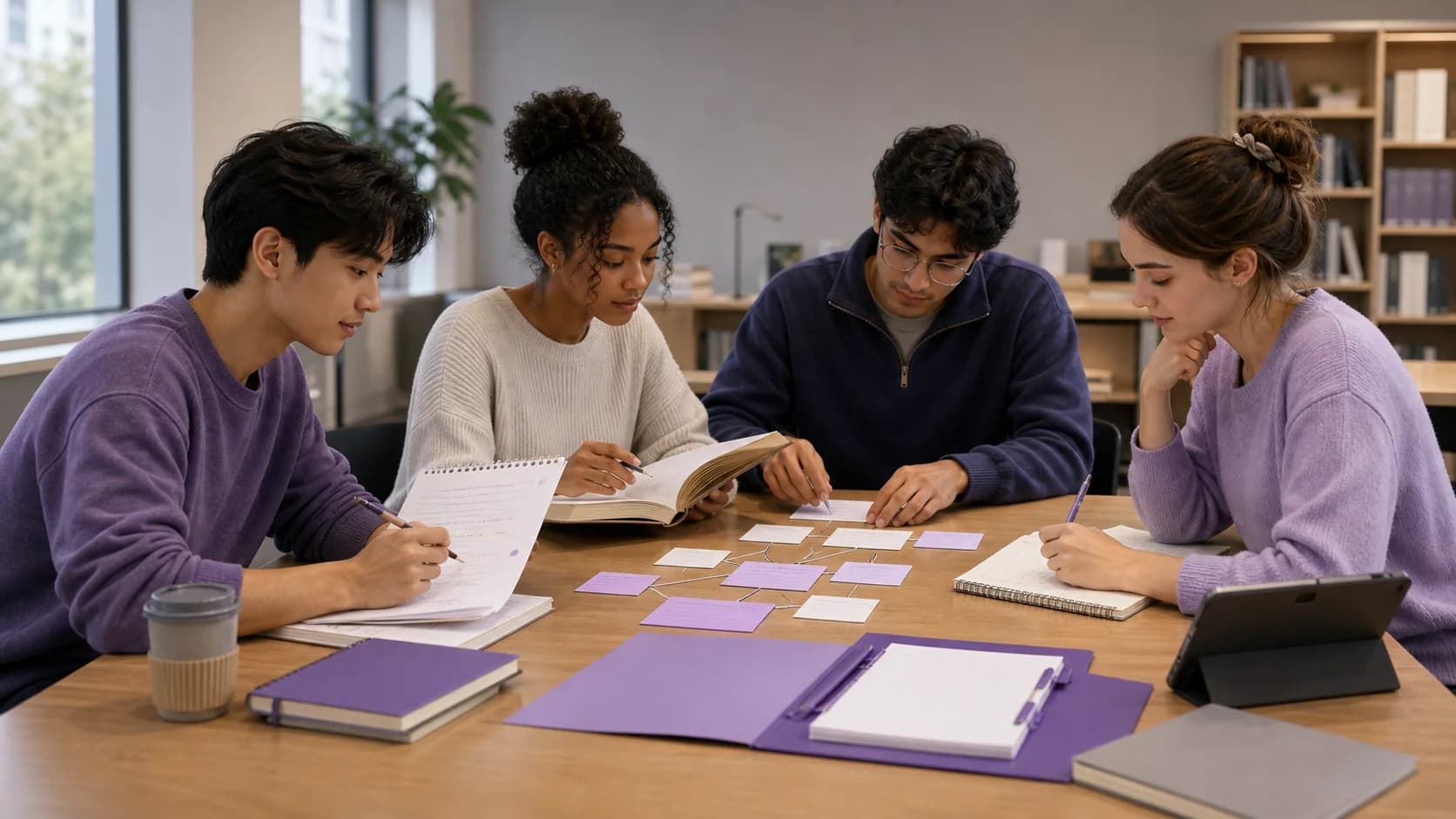
Group study note taking works best when the group produces one checked reference without asking everyone to type into the same document at once. Agree on a narrow topic, give each person a useful role, capture observations separately, compare them against the course source, and let one editor prepare the clean version. Then each student should use that shared note for their own retrieval practice.
The goal is not to create the longest possible document. It is to combine several perspectives while keeping claims traceable, responsibilities clear, and the final notes easy to study.
Quick answer: Define the session outcome, assign rotating roles, take individual notes first, reconcile disagreements, verify important details, publish a read-only study version, and finish with a closed-note question or explanation.
What is collaborative note-taking for group study?
Collaborative note-taking is a structured way for two or more students to capture, compare, and organize their understanding of the same material. The group might annotate a reading, reconstruct a lecture, build a concept map, or prepare a revision note for one course topic.
The University of Notre Dame describes collaborative notes as flexible enough for pairs, small groups, or a whole class. It also gives examples of assigning responsibilities such as finding connections to earlier readings, tracking common themes, or organizing the shared document. That structure is more useful than treating collaboration as simultaneous typing. See Notre Dame Learning's guide to collaborative note-taking.
A shared note has three distinct stages:
- Capture: Each person records an assigned aspect of the lecture, reading, video, or problem.
- Synthesis: The group resolves overlap, omissions, and disagreements.
- Study: Each learner retrieves, applies, or explains the material without looking.
Skipping synthesis leaves you with a collection of fragments. Skipping individual study turns the group note into something you recognize but may not be able to use.
Why one open document often becomes chaotic
Real-time collaborative documents are useful, but the document alone does not define the workflow. Several predictable problems appear when everyone edits freely:
- two people record the same easy point while no one captures the difficult explanation
- an early misunderstanding gets copied into later sections
- personal comments and finished reference notes become mixed together
- source files, transcripts, or private details are shared more widely than intended
- formatting consumes the time that should be spent discussing the material
- one student becomes the permanent recorder while others contribute irregularly
Solve these problems before choosing an app. Decide what the group is producing, who is responsible for each part, and what must be checked before anyone studies from it.
A seven-step group study note-taking workflow
1. Set one outcome for the session
Use a result that can be checked at the end. For example:
- a verified explanation of the stages of cellular respiration
- a comparison of two theories with one example and one limitation each
- a concept map connecting one lecture to two assigned readings
- a revision note for the questions everyone missed on a practice quiz
Avoid goals such as finish the chapter or make exam notes. They do not tell the group what belongs in the note or when it is complete.
Add the course, module, source, and session date at the top. A note called Week 4, Research Methods, sampling bias is easier to place and revisit than Group notes final.
2. Decide what can be shared
Separate material the group created from material supplied by someone else. Your summary, questions, and examples may be appropriate to share. A textbook chapter, paid study guide, identifiable student information, or instructor material may have different rules.
Check your course guidance and the permissions attached to the source. If you are unsure, share the group's explanation and a citation to the source rather than copying the source itself.
Also choose the access level deliberately. A working document may need editing access for a few people. The finished version may only need a read-only link. Do not assume that sharing a folder exposes only the file currently on screen. For example, Google Drive says files and subfolders normally inherit a shared folder's permissions, which is why its help page recommends a separate limited-access folder when one item needs tighter controls. The exact behavior depends on the tool, so review its folder-sharing rules before sending a link.
3. Assign roles by thinking task
Roles prevent everyone from chasing the same information. For a group of four, try:
| Role | Responsibility |
|---|---|
| Structure keeper | Tracks headings, sequence, and the session outcome |
| Evidence checker | Matches important claims, terms, and examples to the course source |
| Connector | Finds relationships to earlier lectures, readings, or concepts |
| Question builder | Records uncertainties and turns key ideas into study questions |
Rotate roles in the next session. Rotation spreads the work and gives each student practice noticing different features of the material.
For a difficult reading, the roles can change to argument, evidence, definitions, and limitations. For a worked problem, use setup, method, calculation check, and explanation. The role should direct attention, not divide one coherent idea into arbitrary page ranges.
4. Capture individually before combining
Give everyone a short quiet period to write their own summary or assigned observations. This preserves differences that can disappear when the first confident person speaks.
Keep capture notes rough but traceable. Add a page number, slide, timestamp, or lecture section beside any detail that the group may need to verify. Mark uncertainty directly with a question instead of smoothing it into a confident sentence.
If the material is dense, work in sections. Capture one section, compare notes, then continue. That is easier to correct than reconstructing a full lecture at the end.
5. Reconcile and verify
Now compare what each person recorded. The University of Michigan suggests a useful note-taking-pairs pattern: one partner summarizes a section, the other offers corrections and additional information, then they switch for the next section. Its guide also describes analytical teams in which different students examine different aspects before creating a synthesis. Both patterns are adaptable to an independent study group. Read the university's three group note-taking strategies.
During reconciliation:
- Remove exact duplicates.
- Keep alternative explanations when both clarify the idea.
- Resolve factual disagreements against the assigned source.
- Label unresolved questions for the instructor, tutor, or next class.
- Check names, dates, formulas, definitions, and conditions.
- Distinguish a course claim from the group's own example or interpretation.
Agreement is not proof. Four students can repeat the same mistaken transcription. The source check is what turns a plausible group draft into a dependable study reference.
6. Publish a clean study version
Choose one editor to prepare the shareable version after the discussion. This is a cleanup role, not permission to replace the group's conclusions.
The final note should include:
- a descriptive title and course location
- the main explanation in a logical order
- the original source reference
- examples and important exceptions
- links to related notes or readings
- a short list of unresolved questions
- three to seven retrieval prompts
Store it where the group can find it again. Stanford's Center for Teaching and Learning recommends using a consistent note-taking approach within a class and keeping notes in an accessible place, because consistency makes it easier to draw connections between lectures and readings. Its guide to organizing notes is a helpful companion to the group workflow.
If the library belongs to one student, share only the finished note or relevant folder rather than the whole workspace. BrainDen can publish a read-only link for one note or for the notes directly inside a folder, with controls for whether the original source and transcript are included. Sharing can be turned off later. Nested subfolders are not recursively included, so place the intended notes directly in the folder you share. See the current note and folder sharing details.
BrainDen is not a simultaneous co-editing surface. If the group needs live editing, draft in a collaborative editor, then let the owner bring the checked result into their connected study library.
7. End with individual retrieval
Close the shared note before the session ends. Ask each person to complete one small task independently:
- explain the central idea in sixty seconds
- draw the process from memory
- answer three questions without looking
- identify one remaining gap
- connect the topic to an earlier lecture
Compare the attempt with the checked note, correct the exact gap, and decide what needs another session. If the group wants a more complete retrieval routine, use the guide to active recall with flashcards and quizzes.
A worked example for a four-person study group
Imagine four psychology students revising classical conditioning.
The group sets one outcome: explain acquisition, extinction, spontaneous recovery, generalization, and discrimination with one checked example each.
- The structure keeper builds those five headings.
- The evidence checker follows the assigned textbook pages and lecture slides.
- The connector links extinction to spontaneous recovery and notes where the course contrasts them.
- The question builder creates prompts that require predictions, not only definitions.
Everyone first writes a short explanation alone. They then alternate summaries and corrections, checking disagreements against the course material. One editor prepares the final note and shares a read-only version without attaching the textbook pages. To finish, each student predicts what happens in a new conditioning scenario and explains the answer from memory.
The group has produced a common reference, but the last task still reveals each person's understanding.
A reusable group notes template
Copy this structure into the next session:
Course / module:
Topic and date:
Session outcome:
Sources we are allowed to use:

Roles:
- Structure:
- Evidence:
- Connections:
- Questions:

Checked explanation:
Examples and exceptions:
Links to related topics:
Unresolved questions:

Individual retrieval prompts:
1.
2.
3.

Owner of the clean version:
Sharing level and end date:
An end date is a reminder to review whether the link is still needed. It is not a guarantee that a recipient has not already copied material they could access.
Common group note-taking mistakes
Dividing the reading without rebuilding the whole
Splitting pages can save capture time, but each person sees only a fragment. Add a synthesis round in which everyone can explain the full argument or process.
Treating the best formatter as the expert
A polished note can still be wrong. Keep source references and assign a separate evidence check.
Sharing the working folder by default
Drafts may contain personal comments, unrelated files, or attached sources. Prepare a dedicated note or folder for the intended audience and verify exactly what the link reveals.
Replacing individual study with group discussion
Discussion can clarify material, but exams and assignments often require independent retrieval or application. End with a closed-note attempt from every member.
Turn collaboration into a usable study system
Good group notes preserve several viewpoints without becoming an unowned document. Give the session a narrow outcome, rotate thinking roles, verify the synthesis, publish only the layer classmates need, and return to the note through individual practice.
Prepare a focused BrainDen note or folder to share with classmates, with web, iPhone & iPad, and Android options kept visible.
See BrainDen more often in Google
Choose BrainDen as a preferred source for your Google Top Stories.
Turn your next source into a study system.
Create structured notes, flashcards, quizzes, mind maps, and active-recall practice from your own material.